Feature highlight

Table tennis match reports, digital and signed

Lineups, scores and signatures on one screen. When the match ends you export the PDF on the official FITET forms.
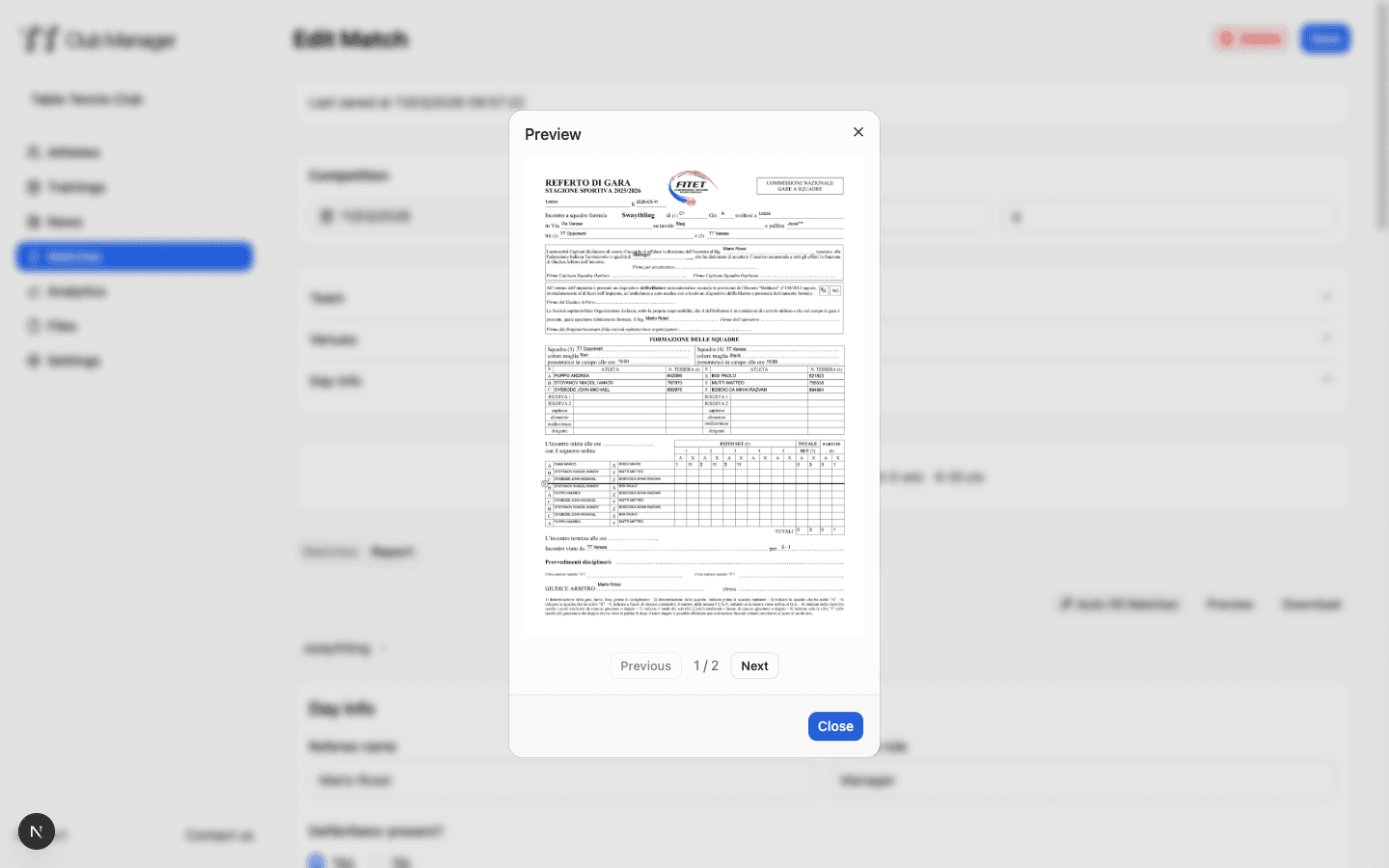
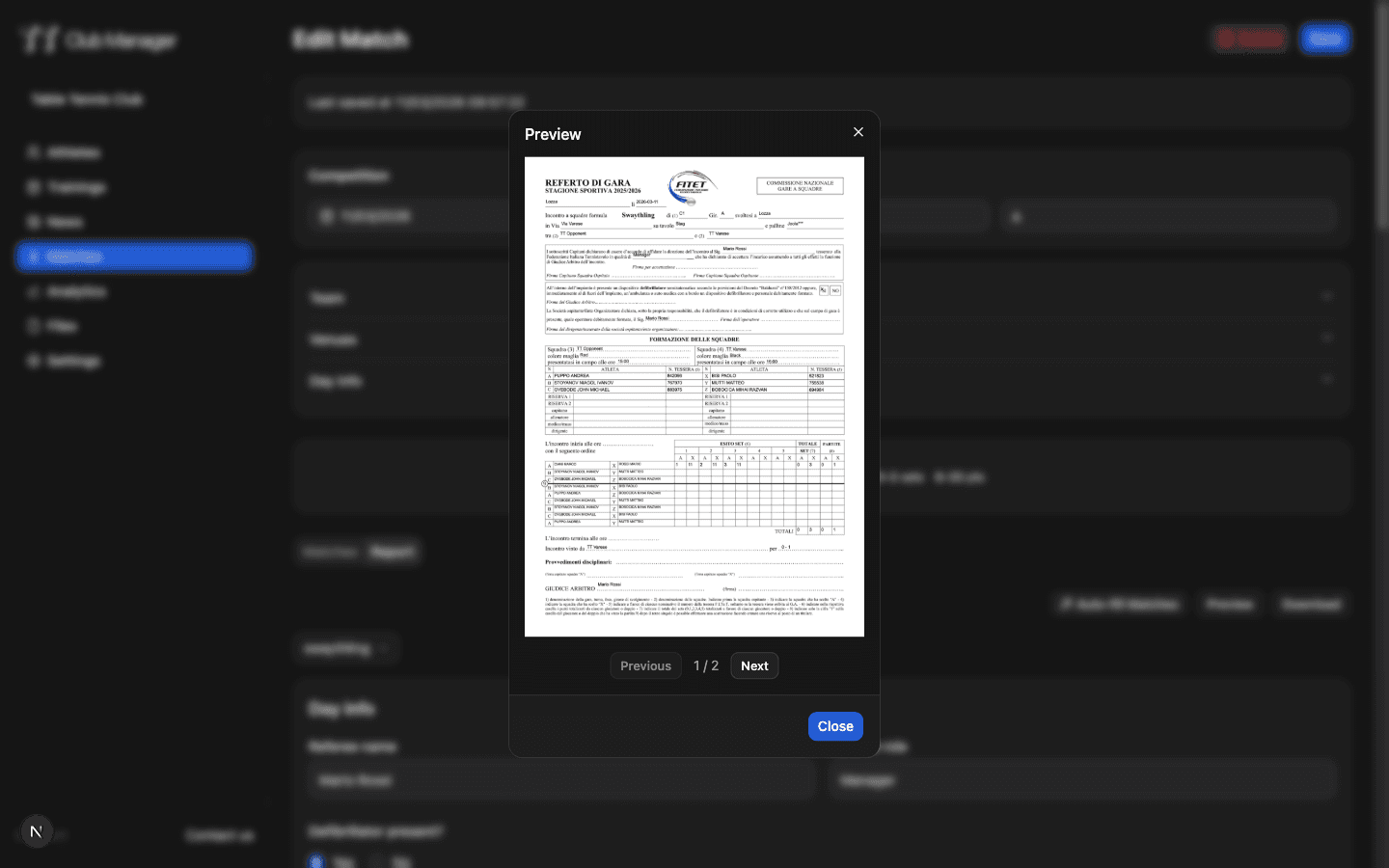
Table tennis match report filled in TT Club Manager

Official FITET forms

Swaythling, Corbillon, Mini Swaythling, Mini Swaythling doubles and the teams sheet, the same forms you use at the table.

Automatic pairings

Enter the lineups and the system builds the singles and doubles matches for the chosen format. Fewer transcription errors.

Digital signatures

Captains, referee and managers sign on a phone or tablet screen. The signatures stay in the report.

How you fill in the report

Four steps, from first serve to PDF

1

Pick the format

Swaythling, Corbillon, Mini Swaythling or Mini Swaythling doubles. You set competition, round and teams.

2

Enter the lineups

Search players in the FITET database and build the teams. The system generates the matches the format requires.

3

Record the sets

Track points while the match is played. The report keeps every game score and the match result.

4

Sign and export

Collect the digital signatures and export the PDF on the official form, ready to hand in.

Who the digital report is for

Referee, captains and managers on the same screen

For the referee

Opens the report on a phone, records sets and collects signatures. No paper to chase after the match.

For team captains

They hand in the lineup and sign the final result without filling in forms by hand.

For the club manager

Finds every report of the season in a searchable archive, ready to export as PDF.

For league organizers

Reports filled in on the same form for everyone, so they can be compared across groups and rounds.

Paper report or digital report

The same information, without copying it

ItemPaper reportTT Club Manager
Filling inPrinted form and pen
Digital form with automatic pairings
SignaturesHand signatures on the sheet
Digital signatures on phone or tablet
ArchiveFolders and scattered scans
Searchable digital archive by season
Handing inA photocopy or scan to send
PDF exported from the report

Common questions

Which reports can I fill in?

The official FITET forms: Swaythling, Corbillon, Mini Swaythling, Mini Swaythling doubles and the teams sheet.

Is the PDF valid for FITET?

Yes. The report follows the official forms and the PDF you export is the one you hand in. Many clubs already use it in league matches.

Does it work on a phone during the match?

Yes. You fill in the report from the phone or tablet browser, with nothing to install. Signatures are taken on the screen.

Where do the player names come from?

You search them in the FITET database, or enter them by hand for non-federation matches.

Do I need a credit card to try it?

No. The trial lasts 7 days and does not ask for a card.

Try the report at your next match

Seven days free, no credit card required.

TT Club Manager

Your complete table tennis club management solution

© 2026 TT Club Manager. All rights reserved.